Thirty-three milliseconds
Earlier this year my co-founder dug his old Pebble Steel out of the back of our office, the one he got from Kickstarter back in San Francisco, and gave it to me. It didn’t turn on. The battery had long given up, so I soldered in a new one, about a fifth bigger than the original, and it came back to life.
What surprised me was how alive it felt for something so small. Notifications slide in. The timeline scrolls with a little weight to it and settles. Buttons click, and the screen answers every press. None of it is complicated; it’s just all considered.
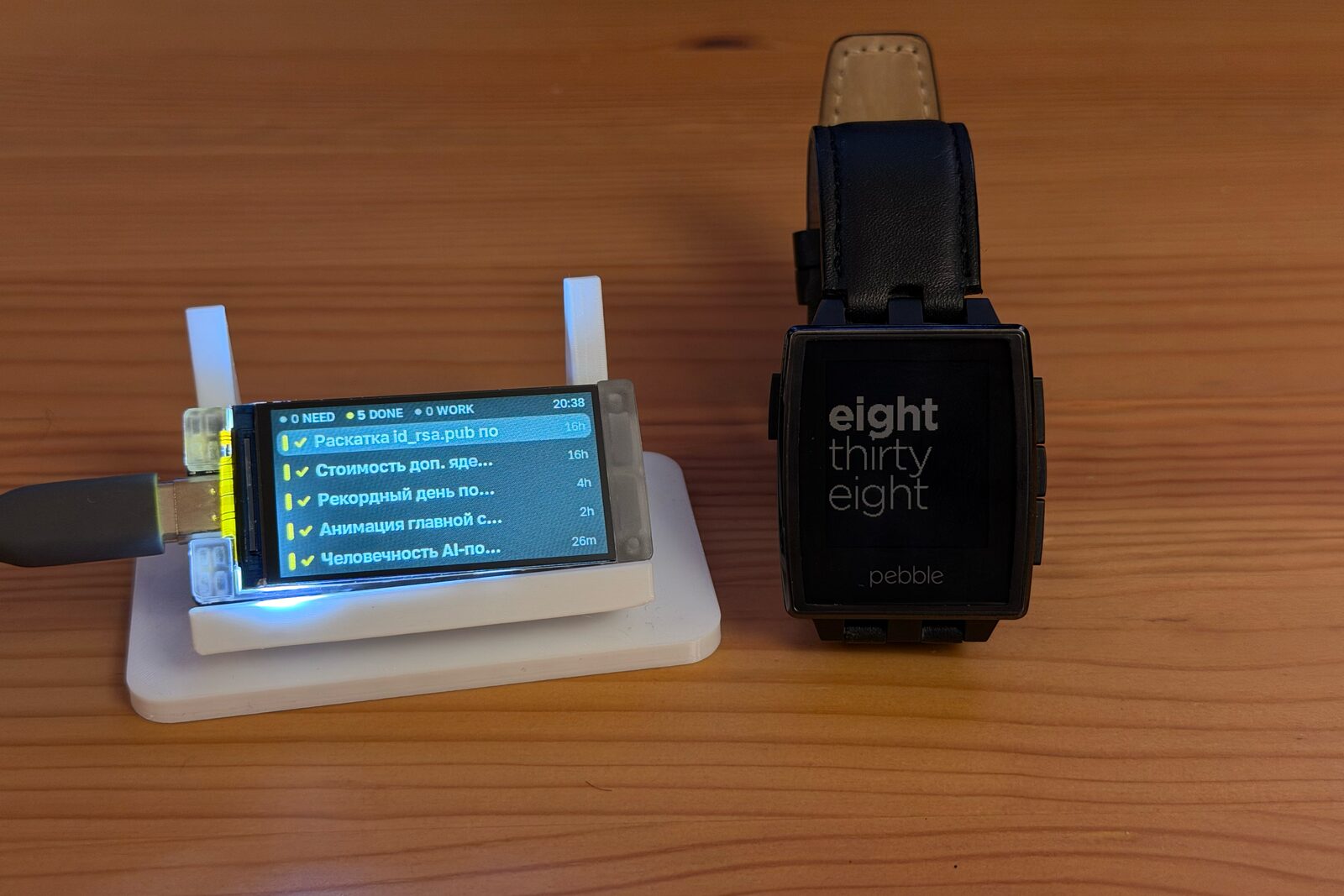
I wanted to understand how that feeling is made, and the only way I know to understand motion is to build some.
The excuse
So I needed a small screen with buttons and real limits, and one turned up by mistake.
For almost two years my friend Anton and I have been “building” desktransport, a little screen that shows when the next tram or bus leaves. We work on it the way we play Minecraft: a week of it every six months. Most of that time goes into looking for the perfect display, probably e-ink. We’ve tried more than six and haven’t found it yet. (I’ll write about it the day we get it perfect.)
Anton always orders two of everything, so we can both tinker. Two weeks ago he ordered an e-ink panel from a listing on Wildberries, a big Russian marketplace, for something imported from AliExpress. The title had two part numbers in it. The first was the panel he wanted; the second was an LCD, and the LCD is what arrived. As usual, the second one ended up on my desk: a Heltec Vision Master, sold as a moon phase clock, with an ESP32-S3, a 1.9-inch colour panel at 320 × 170, two buttons and Bluetooth. The wrong screen for desktransport, and just right for this.
A project needs a reason to exist, so I gave it a modest one. The clock now lists my Claude Code and Codex sessions: red when one is waiting for me, yellow when one has finished, green while it works. A small Mac app feeds it over Bluetooth. Holding a button dismisses a row or brings that session’s terminal to the front.
It’s a gimmick, and that’s fine. It gave me something to move around. I wrote it with Claude Code over a long night, which mostly meant I could spend my attention on how things move.
Moving like a Pebble
Pebble’s firmware is public now, and the motion I liked most turns out to be a short list of numbers. Pebble called it moook. It’s a table of pixel offsets, one per frame: a hint of wind-up, a jump, and a small overshoot that settles.
// Pixels, one per 33 ms frame: wind up, leap…
constexpr int16_t kMoookIn[] = {0, 1, 20};
// …overshoot, settle.
constexpr int16_t kMoookOut[] = {4, 2, 1, 0};
Seven frames, about a quarter of a second.1 Pebble steps through them at 30 frames a second; the clock draws at 60, so it blends between neighbouring frames. It feels the same and looks smoother.
The harder part was what happens when you don’t wait. Press the button again while the highlight is still travelling and it shouldn’t restart, queue the move or jump. It should carry on from exactly where it is. Pebble already had an answer for this: an interrupted moook skips the wind-up and only plays its settle. For everything that isn’t moook, I borrowed Apple’s: a spring keeps its velocity when its target changes.
Every value that moves on the clock works this way, so any animation can be turned around halfway.
Everything else that moves
Once the cursor felt right, everything else looked stiff next to it.
New rows slide in from the right on a quick spring. Rows that leave go out to the left with moook. When a session changes state, its row lifts slightly and travels to its new place, and the cursor travels with it if it was sitting there.
Holding a button fills the row from the left. Let go early and the fill drains back. Hold long enough and the row gives a small pop. Try to dismiss something that isn’t finished yet and the row wiggles instead.
At the ends of the list the cursor stretches a few pixels past the edge before jumping to the other end, the way a scroll view resists you. A session that needs me gets a red bar that breathes on the rhythm of Apple’s old sleep light: 1.4 seconds of breath, 0.4 of rest.2 Its icon hops every few seconds and lands with the bounce Pebble used for timeline peeks.
When the list empties, it shrinks away through a closing circle, Pebble’s port hole transition, and a small face takes its place.
When my Mac goes to sleep, the rows dim, the header changes to “Mac asleep” with a few drifting z’s, and after a while the rows fall one after another into a sleeping face. When the Mac comes back, they drop back into place.
The screen
This is where the limits started to matter.
A full frame is 320 × 170 pixels at 16 bits, about 109 KB, and it travels to the panel over SPI. At 80 MHz that takes 11 milliseconds. The panel redraws itself roughly every 16.5. If I write into it while it’s drawing, the top of the screen shows one frame and the bottom another, and fast motion tears.
Displays usually solve this with a wire that tells the processor when it’s safe to write. This board doesn’t connect that wire. What the panel can do is say which line it’s drawing right now, if you ask slowly enough.3 Since my write is faster than its scan, I don’t have to wait for the very top: anywhere past line 120 or so, the write finishes before it could ever catch up.
Counting frames…
Two more things made it smooth. Frames are kept in the panel’s own portrait orientation, so a write runs in the same direction as its scan. And there are two frame buffers: while one is going out over the wire, the chip’s second core is already drawing the next. Drawing is released once per panel refresh, so motion is sampled at the panel’s own steady rhythm. It now holds 58 frames a second, which is exactly how fast this panel refreshes.
Type
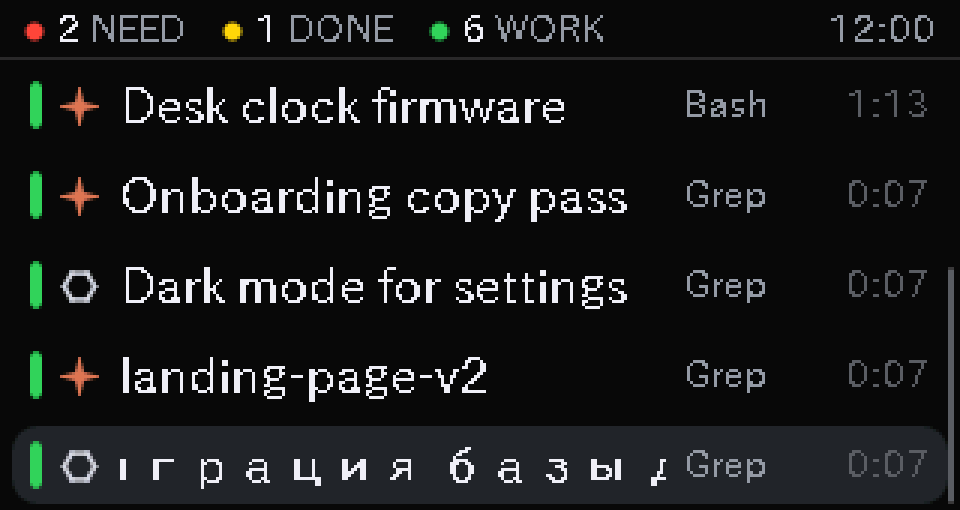
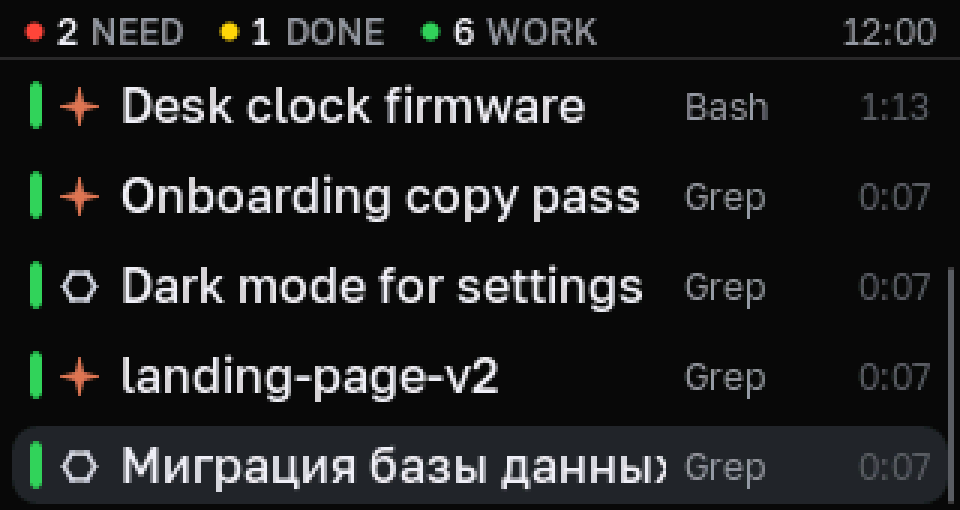
Some of my session names are in Russian, and the first version rendered them with enormous gaps between the letters. The font I’d picked for its character coverage was Japanese, and Japanese fonts draw Cyrillic letters as wide as kanji.
I switched to Golos Text, a typeface drawn with Cyrillic in mind, and rendered it into anti-aliased bitmaps the display library can read: four sizes, about 130 KB. The Latin got better too. On a screen this small, soft edges on every letter make a bigger difference than I expected.
Light
Brightness turned out to be its own small animation problem. Eyes don’t see light linearly, so fades follow a perceptual curve: a slider at 50% looks like half, not almost full. During quiet hours the clock stays dim and doesn’t pulse.
The pulses themselves were never quite right, though, and the backlight chip explained why. It ignores the usual way of dimming an LED. Instead it counts pulses on its enable pin, sixteen steps from full down to almost nothing, and after the last one it wraps back to full.4 I had been feeding it thousands of pulses a second and calling that a fade. Driving it the way it expects is next on my list.
Still practising
None of this is new. Pebble and Apple worked all of it out years ago, and I knew most of these ideas before I started. They still didn’t really make sense until I had to make them work in 11 milliseconds, on a chip that’s also busy running Bluetooth.
It took one night, and it was a lot of fun. Most of what I practised here will end up in desktransport and the other things Anton and I tinker with. Probably not the scan line trick, though, if desktransport ends up on e-ink.
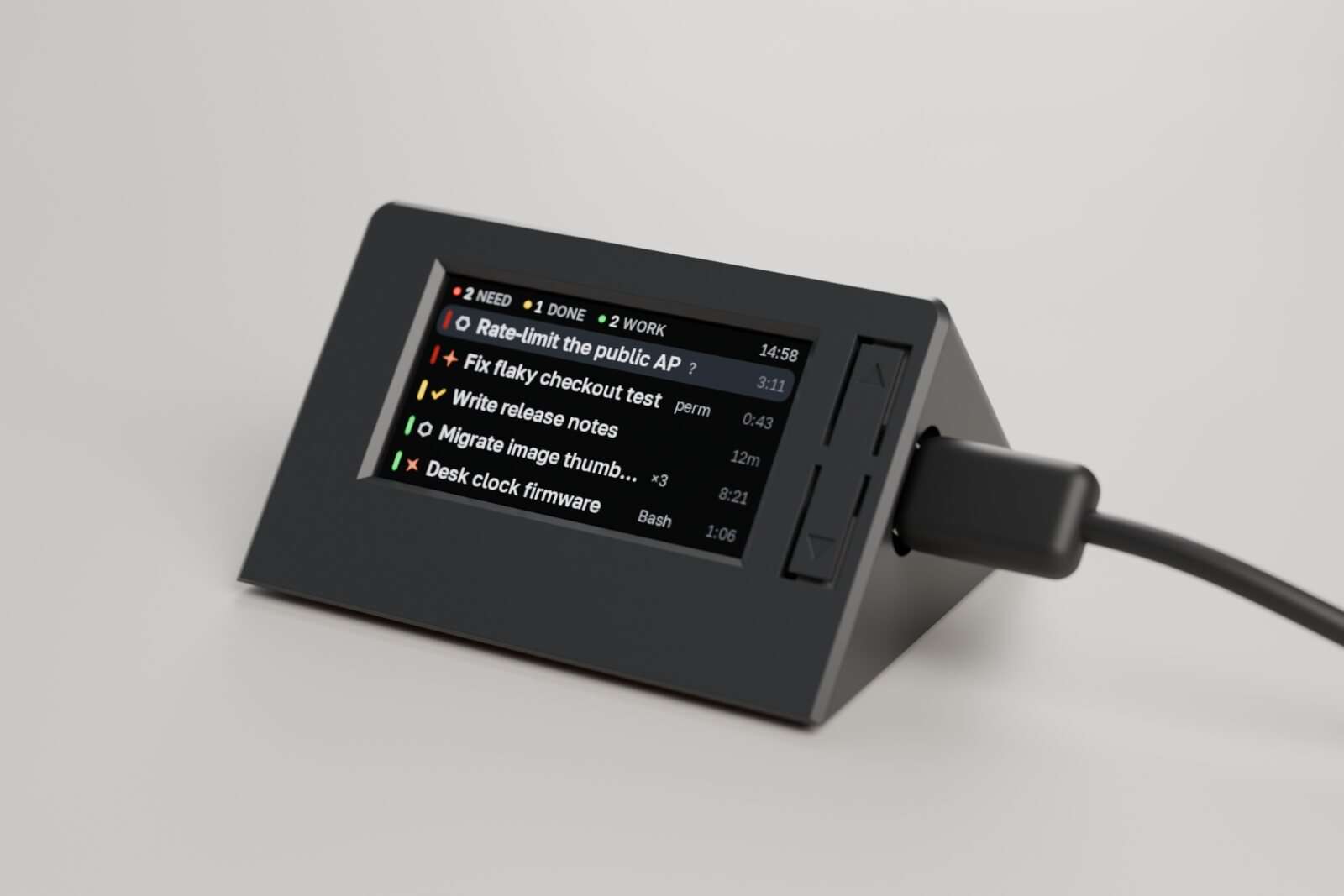
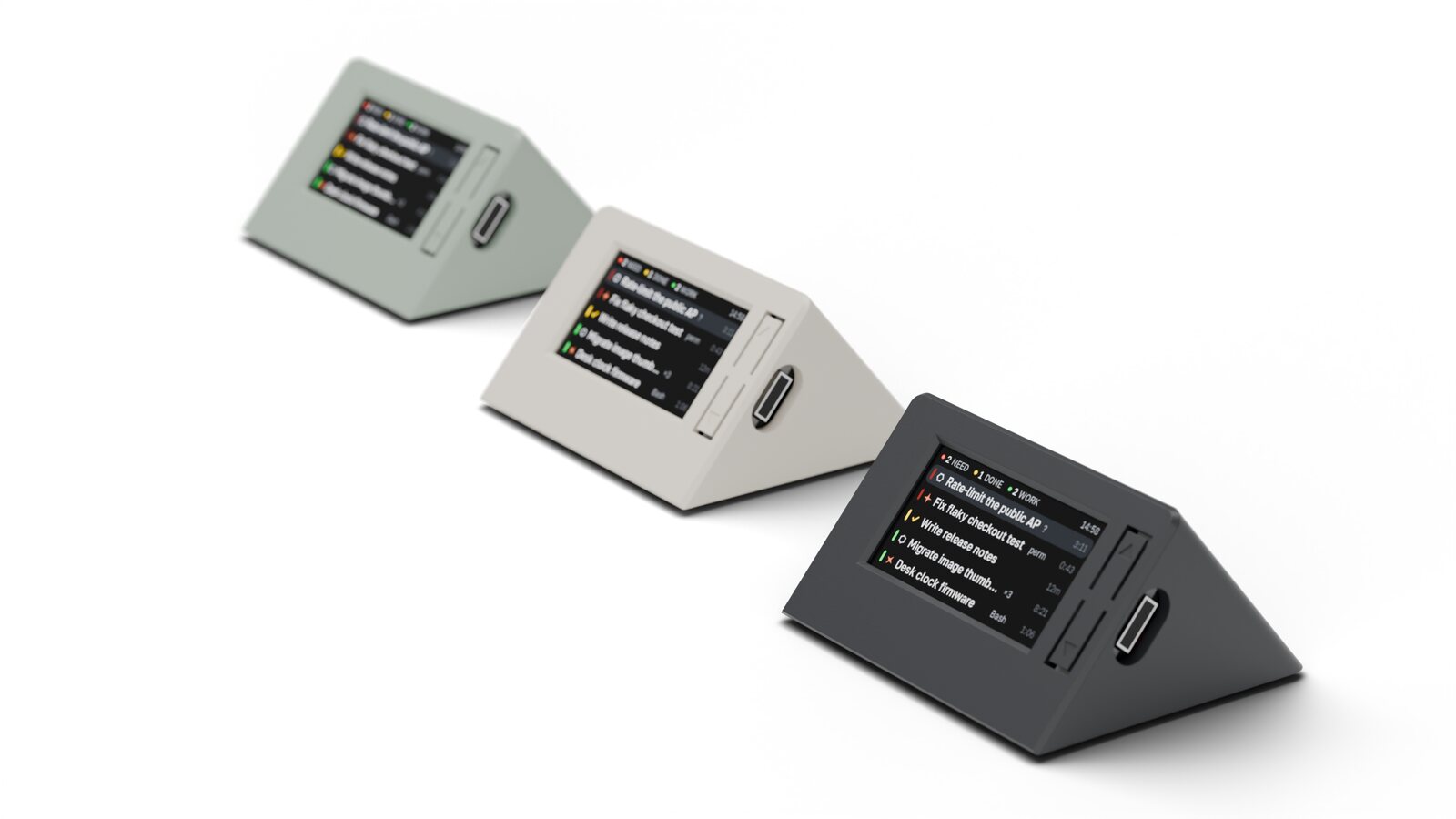
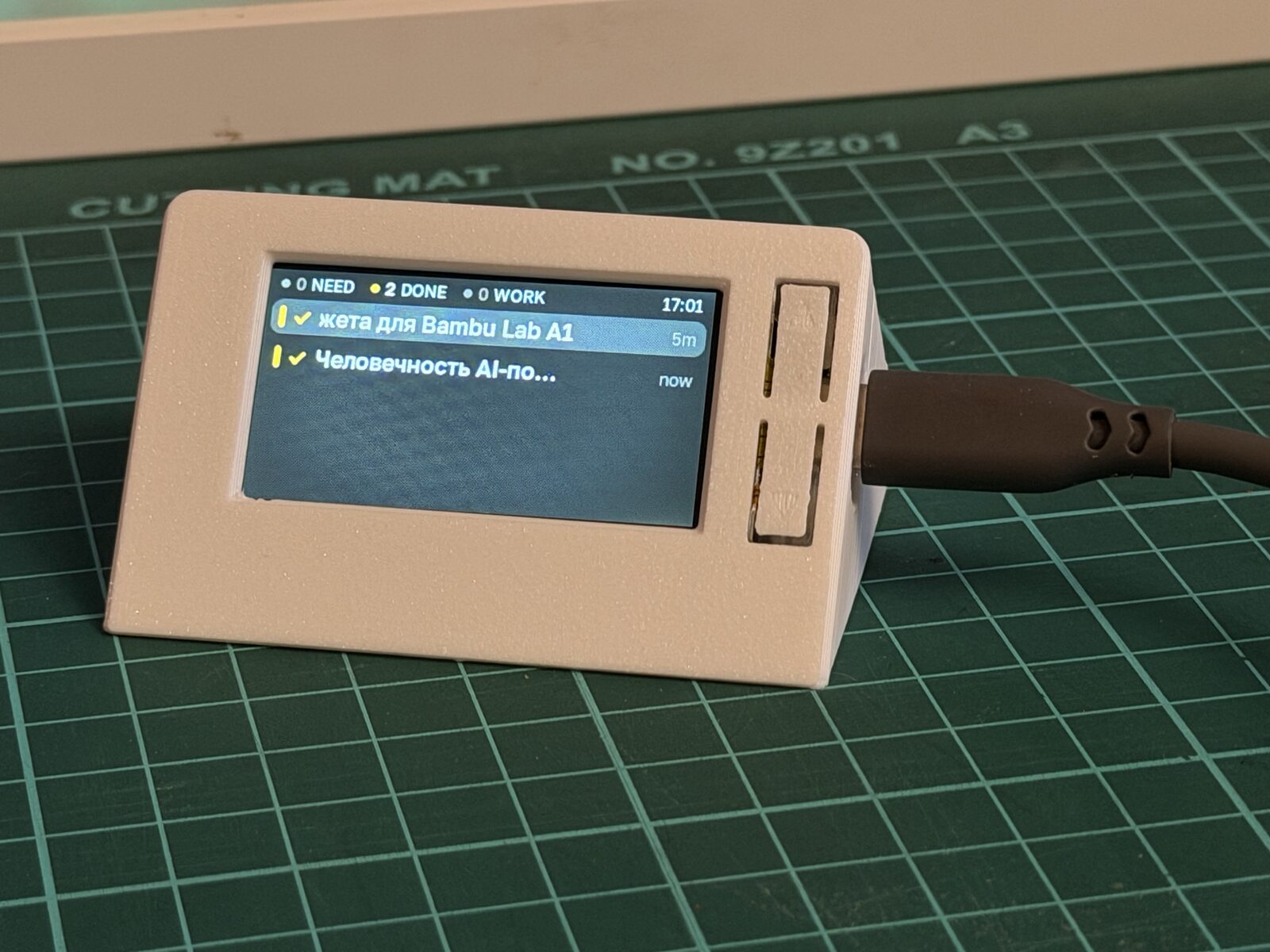
P.S. The clock has a case now. I designed a small wedge for it, 68 mm wide, with the screen tilted at 50 degrees and the cable leaving on the right, and printed it on a Bambu Lab A1. It’s two parts and no screws: the board snaps in from behind, and the two buttons are thin strips of the front wall that bend when you press them.
P.P.S. The firmware is open source now. It’s on GitHub as desksessions.
Footnotes
-
From PebbleOS,
fw/applib/ui/animation_interpolate.c: in-frames 0, 1, 20; out-frames 4, 2, 1, 0; one frame is 33 ms, so seven frames take 231 ms. Moves shorter than one row scale the wind-up and overshoot down, so a 5 px move can’t jump 20 px past its target. ↩ -
From Apple’s patent on the breathing sleep light, US 6,658,577: a period of about 1.8 seconds, including a short rest at the bottom. The rows that slide and reorder use SwiftUI’s
.snappyspring: half a second, bounce 0.15. ↩ -
The panel is an ST7789. It reports its current line in reply to command
0x45, but only if the bus reads at 6.6 MHz or less; at 16 MHz the answers were noise. It scans about 330 lines per refresh. ↩ -
The chip is an Awinic AW9364. Each rising edge on its enable pin lowers the current by one step, from 20 mA to 1.25 mA. Holding the pin low for more than 2.5 ms turns it off, and a pulse-width signal looks to it like a stream of steps. ↩